Fingerprint Comparison made easy with FCS - ACE + V and GYRO #fingerprinting
Watch embedded video 1 on YouTube
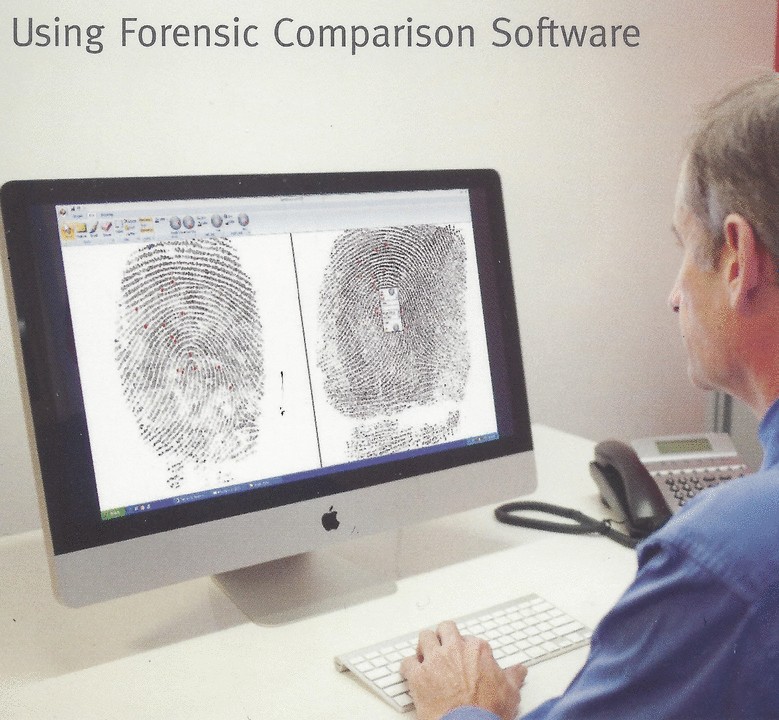
As the ex OIC of the Australian Federal Police Fingerprint team, one the great mysteries to me is the reluctance of Fingerprint Examiners to give up magnifying glasses for the on screen digital alternative.
As the supervisor of my team I spent a good portion of each day reviewing fingerprint case files with a magnifying glass. As I was getting older my eyes started to give me trouble and glasses hardly helped. I would get these horrendous headaches in then evening and I went through a box of ibuprofen a week. I knew my days in Fingerprints was numbered and I was actively looking for an alternative career.
I knew others in my team were suffering neck and back issues and some were taking time off for medical issues connected to the hunching over a desk all day.
The game changer came in the development of the on-screen fingerprint alternative. There are now several alternatives out there to allow the Fingerprint Examiner the option of moving to the PC as the best way to conduct fingerprint examiners.
Aside from the OH&S benefits the on-screen software now available provides image enhancement, digital notes, Charts in seconds, and training advantages.
All Australian Police Agencies as well as our Immigration Dept. now use FCS comparison software and as a result many careers have been given a new lease on life. In many cases extending careers for several years.
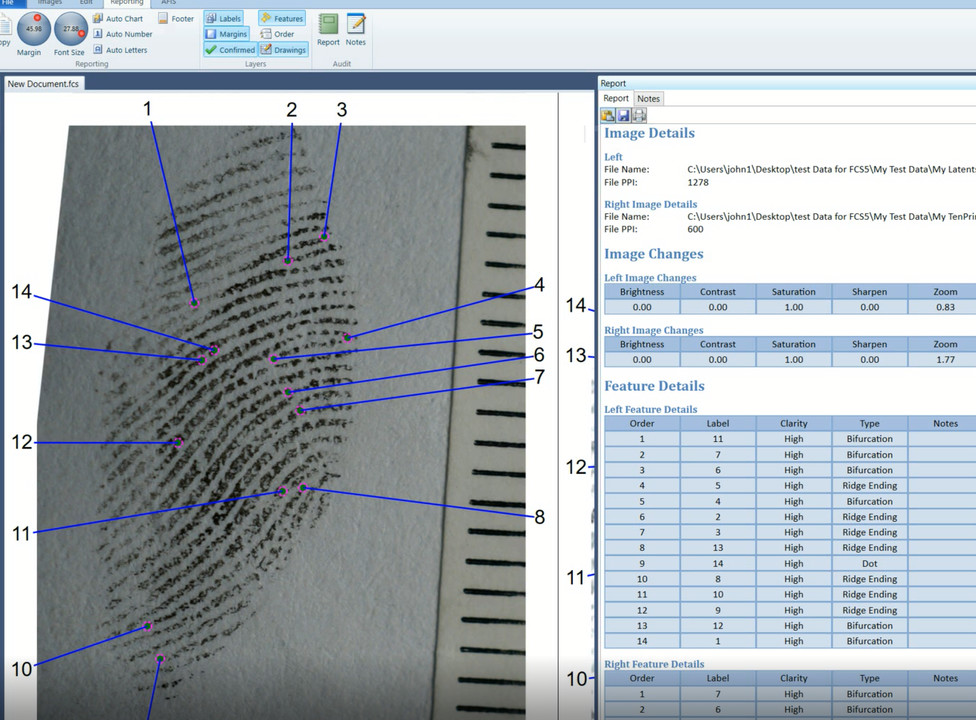
The ACE + V methodology requires the Fingerprint Examiners to take notes of the fingerprint examination.
“Documenation shall be made at the or near the time of the examination and may e in the form of annotated images, narrative, worksheets, annotated legible copies, sketches, [etc.]”.(SWGFAST, Friction Ridge Examination Methodology for Latent Print Examiners -Aug 22 2002, v1.01)
The why is not questioned here but what about the how. As the prior manager of a mid-sized Fingerprint Bureaux in Australia this how was something that we tried to address with our software. It was obvious that examiners would require more time to complete these notes but there was never any suggestion that we would have more staff or a reduction in our case load.
I made a quick comparison between the traditional method and the ACE + V (with notes) and timed the difference and it turns out that it takes about four times longer to conduct a ACE + V comparison (1 minute vs 4 minutes). This is highly subjective and unscientific I know but I think that most fingerprint examiners would admit that if we are serious about the ACE+V method that more time will in fact be taken for each comparison.
Fortunately, other technologies came along at the right time to offset the comparison time to compensate for this. The digital conversion of our crime scene prints and the ability to download digital images from our AFIS made the management of case file much more steam lined and efficient. The use of specialised comparison software also made the handling, enhancement, and charting of images was easier and faster (Forensic Comparison Software).
I would like to hear for anyone who has thoughts about ways of making ACE+V work without impacting too much on case file throughput. I am in the business of making the lives of fingerprint examiners easier and if we can incorporate some of these ideas into our software then we are keen to do so.
I have included some videos explaining the differences in the methods. These are my interpretations and others may have a different approach. The software is flexible however and can be used in a way to suit the individual examiner.
Traditional method - some commentary that slows things down here but much shorter time to conduct than the ACE+V method.
Watch embedded video 1 on YouTube
ACE + V method - a lot of commentary here slowing down the process and is much faster when not included. The additional charting is not required but just an additional tool open to the examiner and can add to the explanation of the comparison notes.
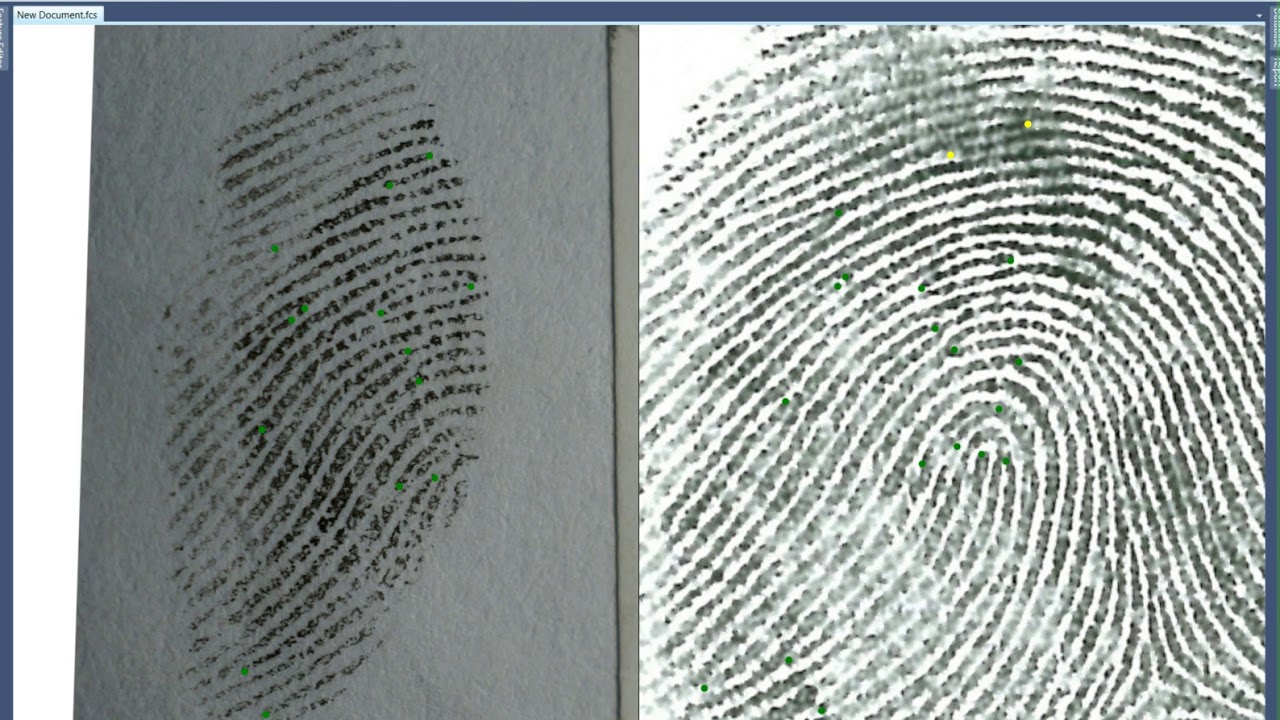
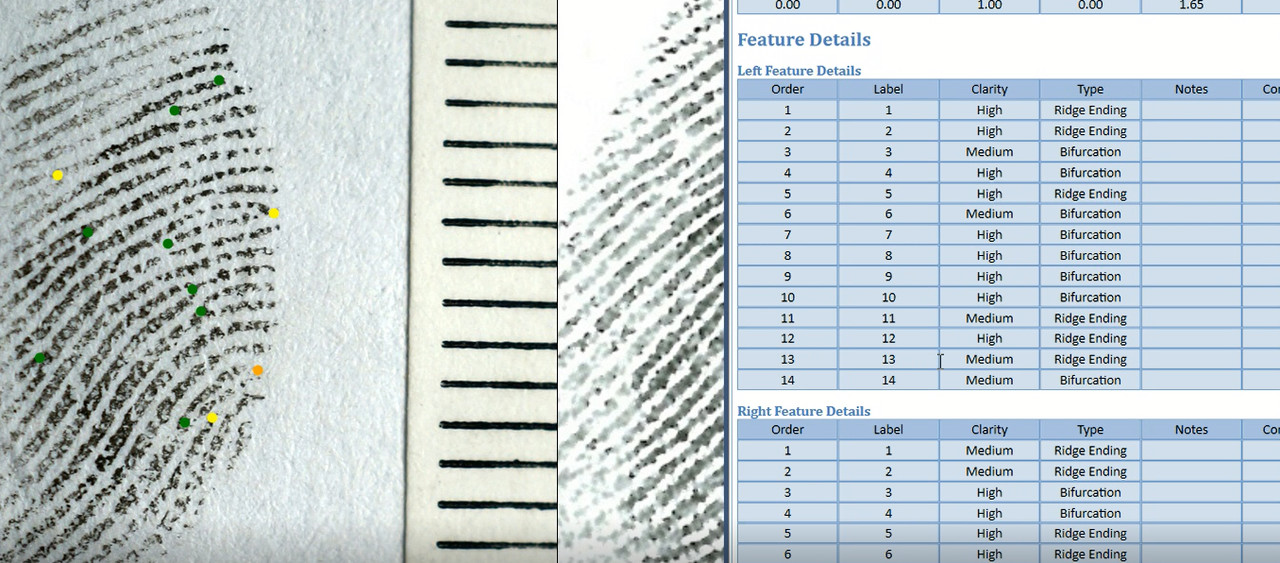
The pressure from courts is now on for latent fingerprint examiners to produce more complete documentation to demonstrate the ACE + V process used in Fingerprint Comparisons. At one time, we in Australia produced pro forma that provided tick boxes for things like feature clarity, type etc. but they were inconvenient and time consuming.
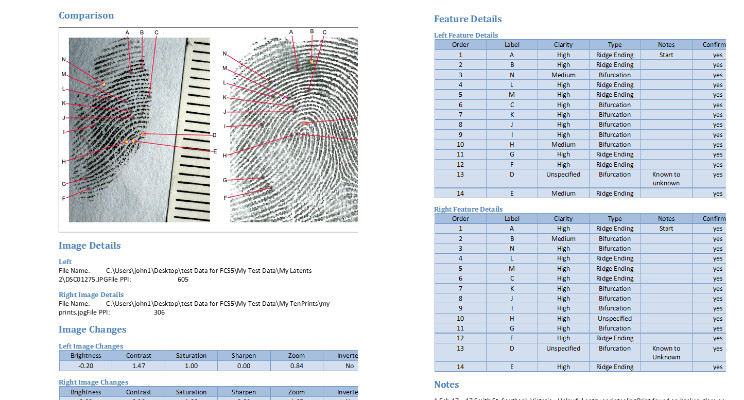
Theoretically at least, the on-screen comparison of latent fingerprints would be ideal for the quick and easy making of notes. The electronic medium opens the possibility of recording the notes on the fingerprint analysis and reproducing those notes in a clear and professional format. Information on the features that are used in the identification process can be captured while the examination proceeds and efficiency does not have to suffer too much.
Some annotations are easy and others, not some much. For example, feature type and clarity, and feature order of comparison are easily reduced to electronic notes, especially with clarity color descriptors such as those used in GYRO. Others such as development and enhancement techniques, substrate type etc. are more varied and are more suited to free text.
Charting is another form of annotation and when used correctly can tell a story of how the operator came to a decision. Charting has historically been used to present Fingerprint Comparisons in court but, due to the effort and time involved, were limited to that one purpose. With electronic automation charting is now very easy and can now routinely be used as a tool for note taking in case files.
Forensic Comparison Software provides the latent examiner with all of these tools to record the relevant notes in real time without the need for manual note taking and allows for the export of those electronic notes to a printer for inclusion in a case file or to the case management systems for permanent storage.
For more information
contact me at john@forensic-software.comor go to http://forensic-software.com/ for
more information.
This video give the fingerprint technician some ideas on how to present a Fingerprint Comparison result to the court that looks professional. To accomplish this It uses Forensic Comparison Software in combination with PowerPoint. It is a variation on what we used to call “walking the court through an ident”.
The court sometimes require that the fingerprint expert show the process that they followed in their comparison and this video shows one way of doing that. My apologies for the construction sounds in the background but our office is being renovated.