Software AFIS for Major Crime Cases

Software AFIS for Major Crime Cases

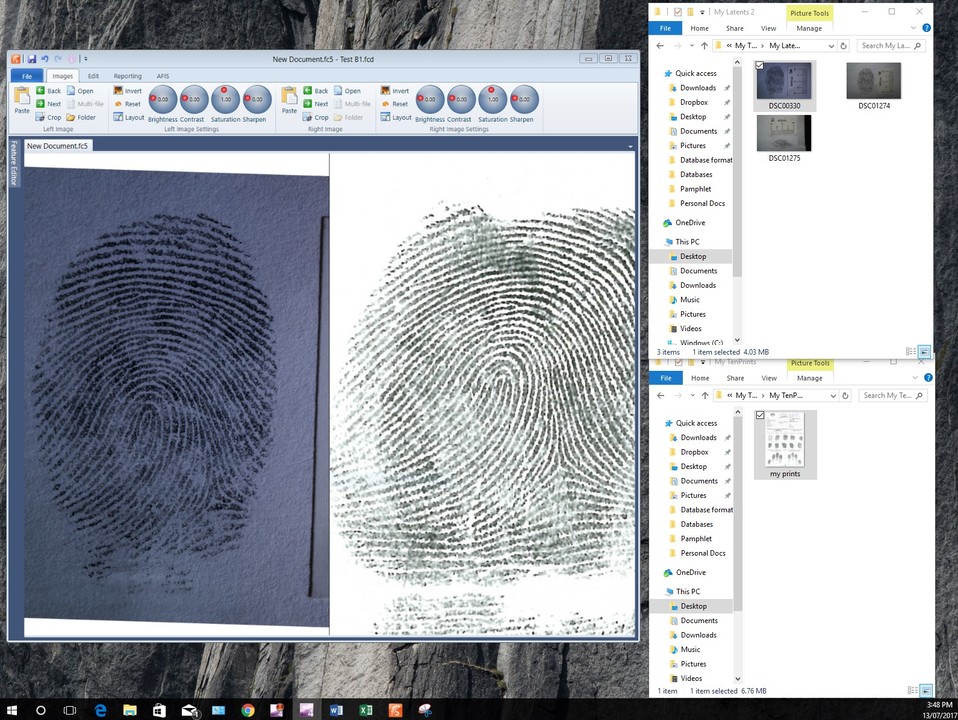
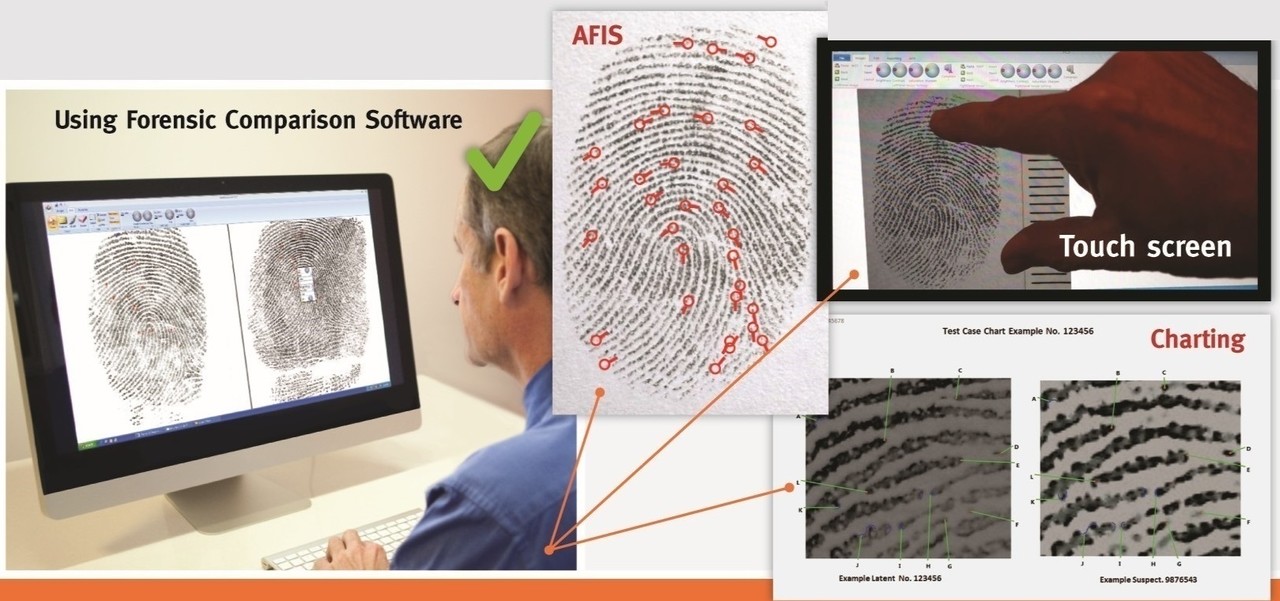
Forensic Comparison Software has developed a software based AFIS for major crime cases where you just need to search offenders, suspects, victims, and persons of interest against the fingerprints recovered from crime scenes on your standard office PC or laptop. This is an inexpensive tool that reduces the “looking” time that fingerprint technicians commonly engage in when working on those major cases. Take your laptop to the crime scene for the rapid turnaround of results.

Comes with the standard FCS analytical, comparison, image enhancement, and charting tools that we are known for. Priced so that it is affordable for several operators to work independently on their cases ($2500 USD each). Just download and you are good to go.

Contact us for more information at john@forensic-software.com** **

Summary of features.

  • 1:n and 1:1 searches
  • Very fast results (results in seconds)
  • Portable - Conduct searches at the crime scene or in the lab
  • Search databases of up to 500 persons. No restriction of how many databases
  • 360 searches for time when orientation is unknown – Good for Palms and Foot prints
  • Search smaller databases gives higher match rates
  • Search offenders, suspects, victims, and persons of interest for individual cases for rapid and accurate searches. Dramatically reduces time to complete cases files.
  • Reduces time to identify offender for quick arrest and recovery of stolen goods
  • Ideal for major crime, drug cases, disaster victim identification, special operations.

Software AFIS for Small Agencies

Software AFIS for Small Agencies

Forensic Comparison Software has developed a software only AFIS for small agencies without the budgets for the large hardware based AFIS now on the market. This software can be used on any standard office PC which saves money and space with no additional hardware to buy and maintain.

This version is a highly cost-effective tool that comes with the standard user friendly FCS comparison, notes, and charting tools. An agency can search databases of 50,000 persons or more and cut short the waiting times for results from State or Federal systems.

An overview:

  • 1:n and 1:1 searches
  • Very fast results (results in a few seconds)
  • Portable - Conduct searches at the crime scene or in the lab
  • 360 searches for time when orientation is unknown – Good for Palms and Foot prints
  • Suitable for regional AFIS searches for databases of 50,000 records or more. No restrictions on number of databases
  • Suitable for national databases of crime types. Drug offenders, Paedophiles, Violent offenders, Terrorists may be searched against one database for greater matching rates.
  • Suitable for hold all active offenders in a major regional centre for rapid turnaround of results at the regional level

Contact me at john@forensic-software for further information.

The problem with the ACE+V Method

The problem with the ACE+V Method

In my experience, the practical application of ACE+V has been difficult to implement in the real world of Latent Fingerprint comparisons. The theory is sound, no doubt, but the impediment to taking up this methodology is that there is a lot more time to conduct every ACE+V examination than was ever involved the traditional method.

The traditional method combines the analysis, comparison, and evaluation into one step that occurs in the mind of the examiner and notes are usually limited to a conclusion rather than the process undertaken. ACE+V methodology teases out this mental process and observations that takes place in the eyes and mind of the examiner and attempts to explain and qualify these processes in note form for others to judge any conclusions.

We are therefore going from “Trust me, its him” to “I have concluded, that there is a high probability that these two impressions have the same source”, or similar, with the accompanying notes to back it up. The observer is then brought into the process as a participant and verifier of the conclusion rather than being left on the outer with an appeal to authority on the part of the examiner. The former is in line with the scientific method, the latter is not.

Fine, we can agree that we should use ACE+V if we are going to have any claim to being a science. The problem is that we are increasing the work load of examiners substantially while maintaining the expectation that case throughput and results will be unaffected. Lets all admit here and now that moving to the ACE+V will necessarily increase the time for examinations to be conducted. Hands up anyone who has had their staff numbers increased to provide for the shift to ACE+V.

The problem then is, given that we must move to the ACE+V method, how do we maintain our throughput and effectiveness as a crime solving tool?

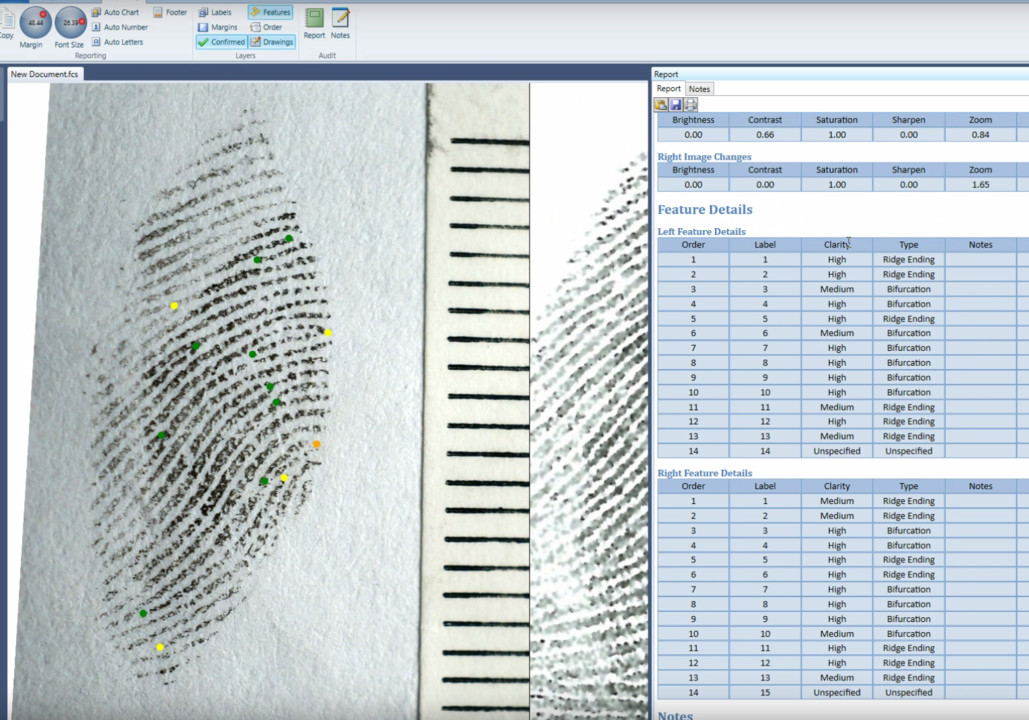
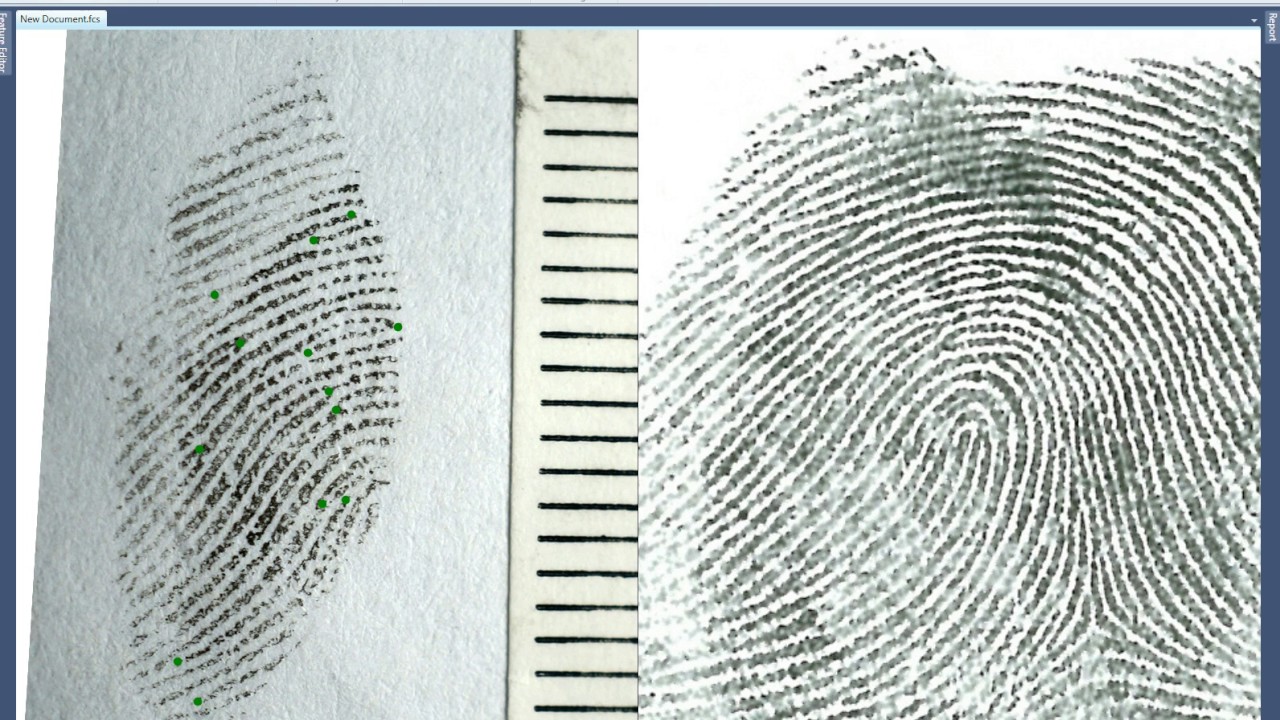
One such solution may be to automate the note taking. Using technology to allow the examiner to make quick and thorough notes during the examination can reduce the time for this task dramatically. The reproduction of those notes in a professional and easily understood format including such tools as GYRO can also save time as well as improve the credibility of the examiner in the eyes of the courts. (See Forensic Comparison Software)
Embedded video 1

Another solution is to reduce the time taken in other case work tasks. As a former latent case worker and supervisor of latent case workers, one of the tasks that takes the most time is the manual looking or searching of outstanding latents against suspect or victim sets of prints. In major cases, for example, an examiner may already have a suspect or victims prints to check against all the outstanding latent images. That examiner will sometimes spend weeks accounting for every ridged skin fragment before they feel confident that they have done that case justice and can therefore move on.

The latent examiner may feel that if they just spend one more day on this case they will identify the latent fragment that will solve the case. Even so, there have been studies that up to 10% of latent fingerprints are missed in case work (Utilizing AFIS searching tool to reduce errors in fingerprint casework, Langenburg et al.) One possible solution is to use case specific AFIS tools to dramatically reduce this manual search time of those outstanding latent fragments. (See Forensic Comparison Software + AFIS tool)

Watch embedded video 2 on YouTube

For further information contact me at john@forensic-software.com or go to http://forensic-software.com/
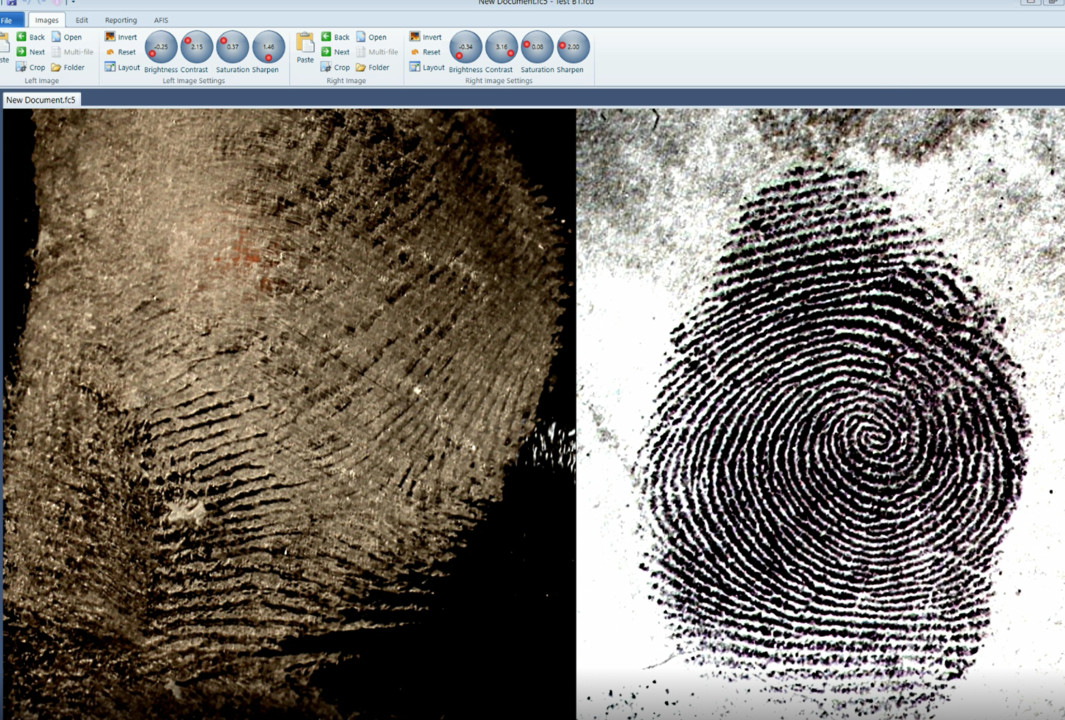
Enhancing the Latent Fingerprint Image

Enhancing the Latent Fingerprint Image

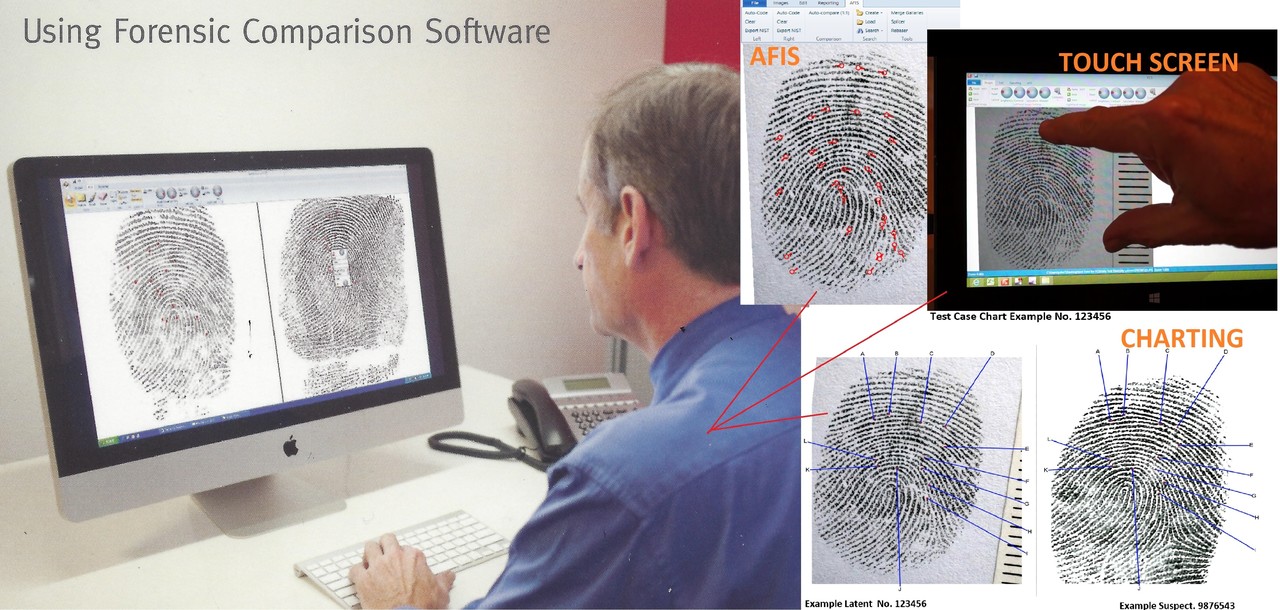
This is the second in the series on “5 easy steps to on screen fingerprint comparisons”, titled “Enhancing the image”.

In my experience as a Latent Fingerprint case worker and supervisor, enhancement of the fingerprint image is necessary in a minority of cases. Most latents fingerprints that came across my desk were already of sufficient quality to search or compare. If the technician has done their job and captured the print using the right light sources and development techniques then in most of cases the fingerprint is already of sufficient quality to work with. That is not to say that image enhancement is not very important for the substantial minority of prints that required it.

In the past and prior to converting to a specialist fingerprint comparison software, Photoshop was the tool of choice for enhancement for most agencies. There is no doubt that photoshop is an extremely powerful tool but it is also a very complicated piece of kit. At one time, out department paid for very expensive Photoshop training courses for my team members which ended up being a waste of time. Without the constant day to day use of photoshop these skills were soon lost because there were just not that many fingerprints that required that level of enhancement to maintain the skills. I usually had one person in my team who took it upon themselves to be across Photoshop and they were the go-to person for those cases.

The training cost of maintaining Photoshop skills and the on going annual fees now charged by Photoshop provided us with an incentive to look at other alternatives. When we looked at the actual tools that were useful to us for most of the latent fingerprint work we found that only a few enhancement techniques were used. They were Brightness, Contrast, Saturation, Sharpen, Invert Black/White, and Flip. These techniques covered at least 95% of our enhancement needs. (See attached video for a description).

These tools are now included in the Fingerprint Comparison Software version 5.5. Contact me at john@forensic-software or go to http://forensic-software.com/ for further information.
Watch embedded video 1 on YouTube

5 Easy Steps for On-screen Latent Fingerprint Comparisons

5 Easy Steps for On-screen Latent Fingerprint Comparisons

There are many advantages in adopting on screen latent comparison workflows besides the obvious OH&S one. It also gives you must better tools for displaying the fingerprint in the best possible way. With the digital image, you can use powerful enhancing tools to bring out the best in the image. You can also make electronic notes as you go through the comparison process or make a chart when you are finished. In my previous 20 years in Latent case work I have found it's just easier. I could ID prints that I couldn’t before and my eyes, neck and back were much better off.

I have had some inquiries on how the on screen latent comparison would work and I have done a series of videos to demonstrate how in 5 easy steps.

They are:

  1. Getting the image on the screen
  2. Enhancing the image
  3. Marking the features
  4. Notes on Analysis and Comparison
  5. Charting

I will be publishing each step over the next five weeks. This weeks starts with “Getting the image on the screen”.

Step 1. Getting the images on the screen.

Loading an image must be quick and easy if your Fingerprint Techs are going to accept the new technology. Obviously, you need to have digital images to load but most agencies are capturing latent prints with digital cameras these days so that’s half the battle won there. If you have lifts a flat bed scanner is a cheap and easy method of converting lifts to an electronic format. There are also camera devices that can be mounted on the desk for easy electronic capture of lifts (contact me for more information on these devices).

I have found the best way to load a digital image is the drag and drop method. This is also the method used in “Paint” and “Photoshop”. Using the mouse to left click on an image and drag into the application is painless and intuitive.

With the Forensic Comparison Software an additional feature to the drag and drop method is the “Next” button that will load subsequent images in a file. An operator can quickly select this “Next” button to quickly sort all the images in the file to select the best one to start the process. This latent is usually the best quality print or possibly the print that has the most evidential value.

Once the image is on the screen you will need to position, orientate, and zoom for the best possible view of the image to be compared. This is also done with the aid of the mouse where the left click of the mouse can move the image within the viewing panel, the right click of the mouse rotates the image for the most appropriate orientation, and the scroll button is used to zoom in and out for the best magnification. The mouse is the key here and in this day and age who isn’t comfortable using a mouse?

The next step is to enhance the image using various tools to present the latent print in the best possible way before the comparison work begins. This will be covered in the next installment.

Contact me at john@forensic-software.com for more information.

Watch embedded video 1 on YouTube

Rejoining the server…

Rejoin failed — trying again in s (attempt of ).

Failed to rejoin.
Please retry or reload the page.

The session has been paused by the server.

Failed to resume the session.
Please retry or reload the page.

The server has discarded this session.
Reload the page to start a new one.