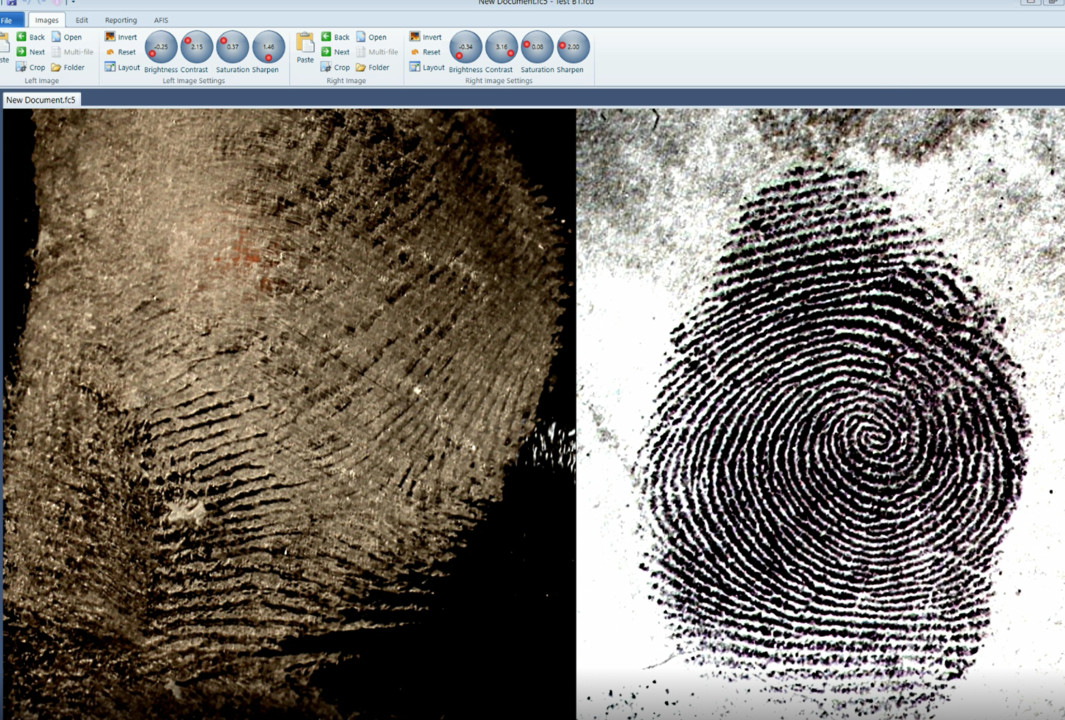
This is the second in the series on “5 easy steps to on screen fingerprint comparisons”, titled “Enhancing the image”.
In my experience as a Latent Fingerprint case worker and supervisor, enhancement of the fingerprint image is necessary in a minority of cases. Most latents fingerprints that came across my desk were already of sufficient quality to search or compare. If the technician has done their job and captured the print using the right light sources and development techniques then in most of cases the fingerprint is already of sufficient quality to work with. That is not to say that image enhancement is not very important for the substantial minority of prints that required it.
In the past and prior to converting to a specialist fingerprint comparison software, Photoshop was the tool of choice for enhancement for most agencies. There is no doubt that photoshop is an extremely powerful tool but it is also a very complicated piece of kit. At one time, out department paid for very expensive Photoshop training courses for my team members which ended up being a waste of time. Without the constant day to day use of photoshop these skills were soon lost because there were just not that many fingerprints that required that level of enhancement to maintain the skills. I usually had one person in my team who took it upon themselves to be across Photoshop and they were the go-to person for those cases.
The training cost of maintaining Photoshop skills and the on going annual fees now charged by Photoshop provided us with an incentive to look at other alternatives. When we looked at the actual tools that were useful to us for most of the latent fingerprint work we found that only a few enhancement techniques were used. They were Brightness, Contrast, Saturation, Sharpen, Invert Black/White, and Flip. These techniques covered at least 95% of our enhancement needs. (See attached video for a description).
These tools are now included in the Fingerprint Comparison Software version 5.5. Contact me at john@forensic-software or go to http://forensic-software.com/ for further information.